Introduction: Where Physics Meets Innovation
Many of you are all too familiar with this frustration: that sensor, deep in the garden or out in the barn, stubbornly refusing to respond. Range remains the Achilles' heel of our smart home setups, even in 2025. Home Assistant, through its company Nabu Casa, has just launched an ambitious answer to this chronic problem: the Connect ZWA-2, a Z-Wave antenna that doesn't do things by halves.
Before I take you on my journey through the neighborhood to test this promise of exceptional range, let me lay the groundwork. We'll explore together why this 31.5-centimeter antenna might just change the way you think about smart home automation, understand the nuances of Z-Wave Long Range versus Zigbee, and most importantly, verify if its performance truly delivers in the field.
The Bold Choice: Performance Over Aesthetics
An Imposing Design for Exceptional Performance
The Home Assistant Connect ZWA-2 makes quite an impression from the get-go. Standing at 31.5 centimeters tall, it's a far cry from the discreet USB dongle you might tuck behind your server. This imposing size isn't a design whim, but an undeniable physical necessity. To achieve exceptional range and the ability to penetrate obstacles, the laws of physics are clear: you need a substantial antenna.
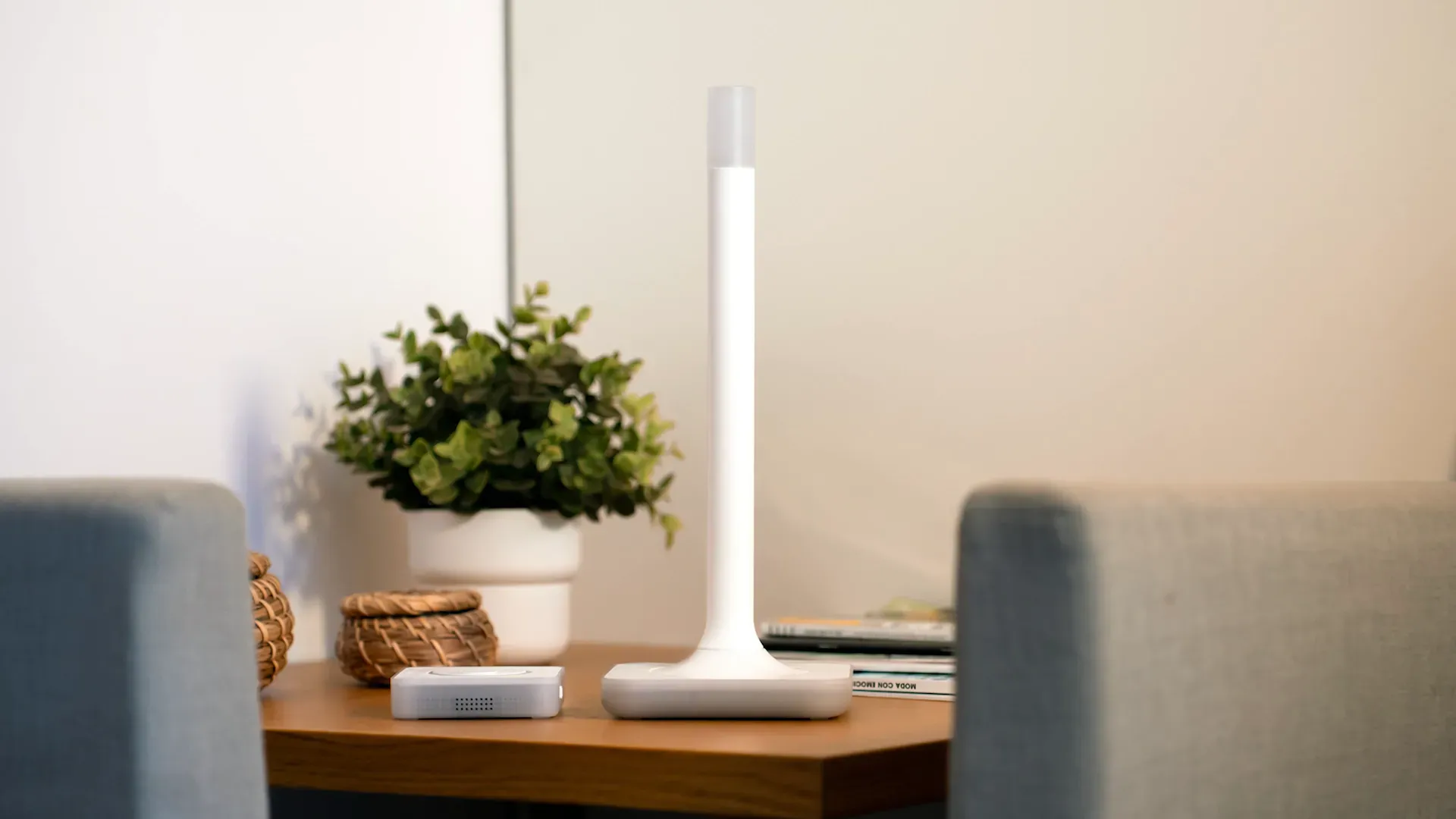
Nabu Casa made a deliberate choice to prioritize raw performance over discretion. The package remains minimalist, including the antenna, its base, and a USB-C cable, but every element has been designed for efficiency.
An Intelligent LED That Guides You
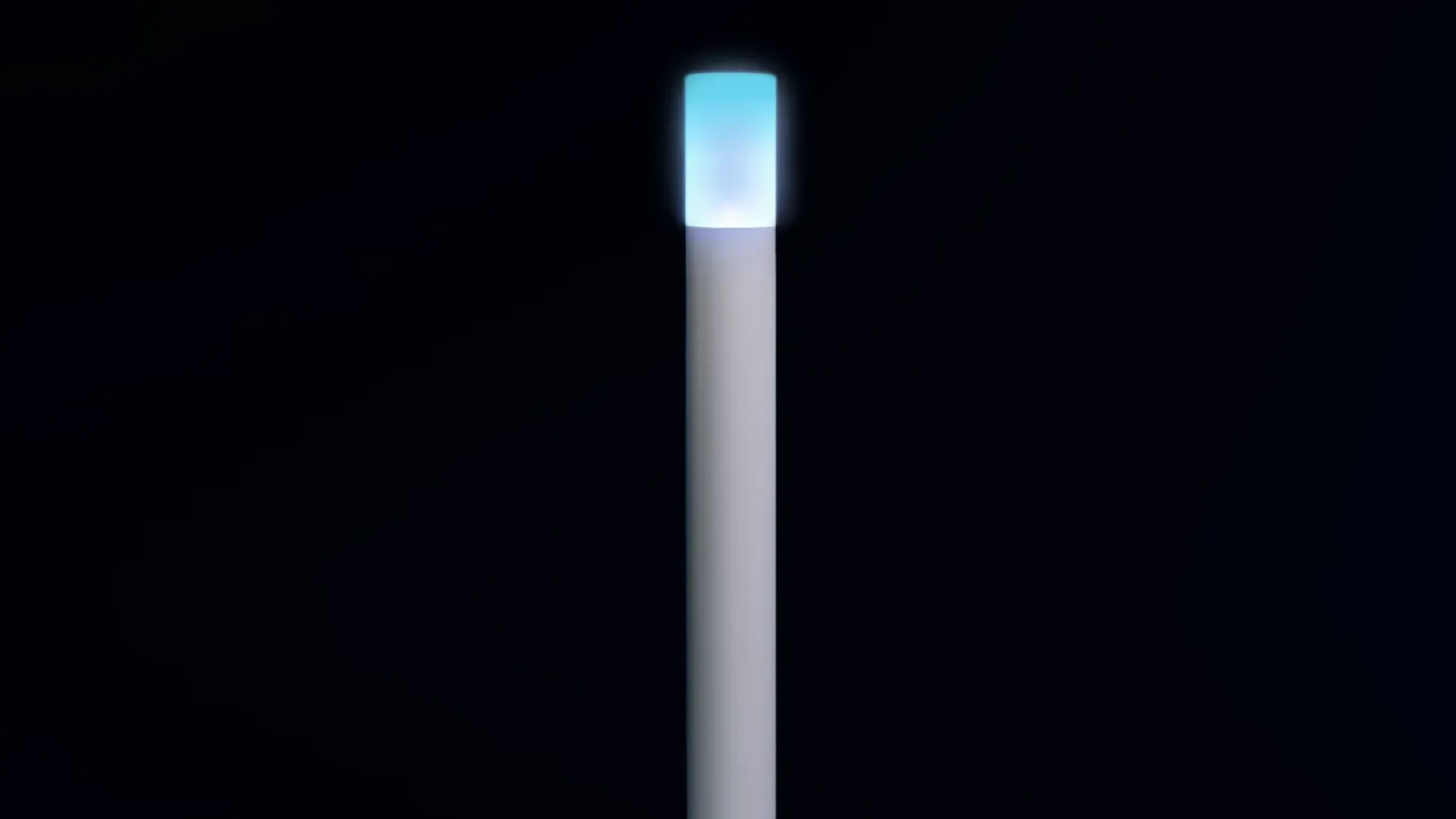
The LED positioned at the top deserves a special mention for its ingenuity. It doesn't just indicate connection status with its blinking or solid light; it turns yellow when the antenna is tilted, reminding you to straighten it for optimal signal. These small details are indicative of a truly user-centric design.
Comprehensive Technical Features
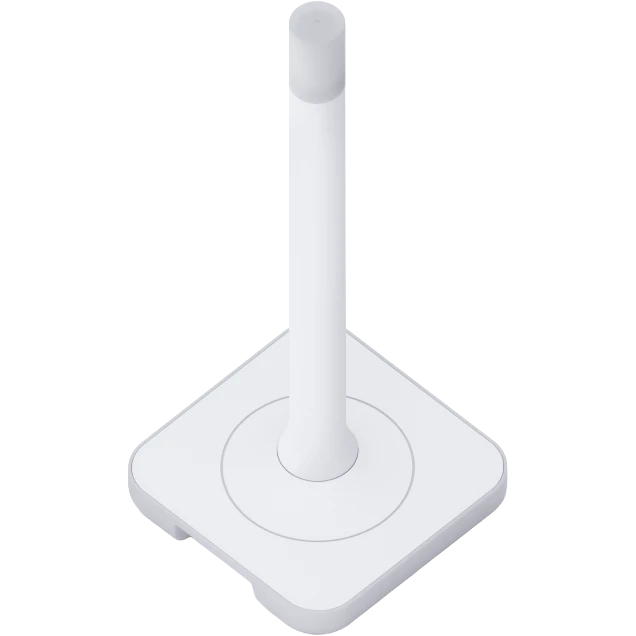
The ZWA-2 consists of four main components:
- An intelligent LED indicator with visual feedback on orientation
- An optimized white antenna designed for Z-Wave 800
- A stable base allowing for optimal vertical positioning
- A USB-C port with a 1.5-meter cable included
Compatible with any smart home hub supporting Home Assistant 2025.5 or later, this antenna offers full backward compatibility with all Z-Wave products from series 100 to 800, ensuring a smooth transition from your existing equipment.
Z-Wave Versus Zigbee: Delving into the Technical Landscape
The Frequency Showdown
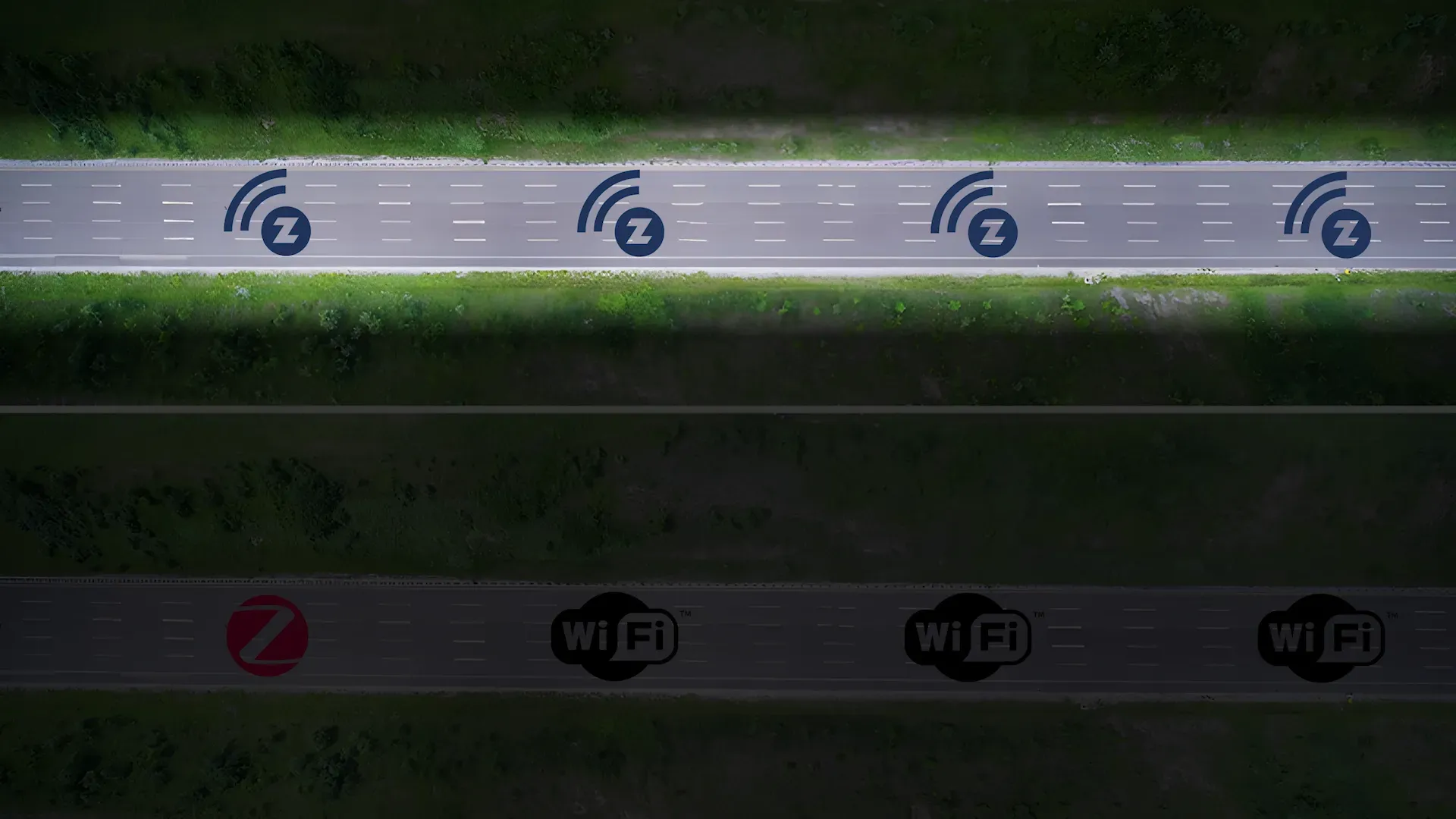
To truly appreciate the innovation of Z-Wave Long Range, you need to understand the current landscape of wireless smart home technology. Imagine radio communications as a highway system. Zigbee operates on the 2.4 GHz frequency, a perpetually congested highway where Wi-Fi, Bluetooth, and a multitude of other protocols intersect. This congestion generates constant interference that can significantly degrade performance.
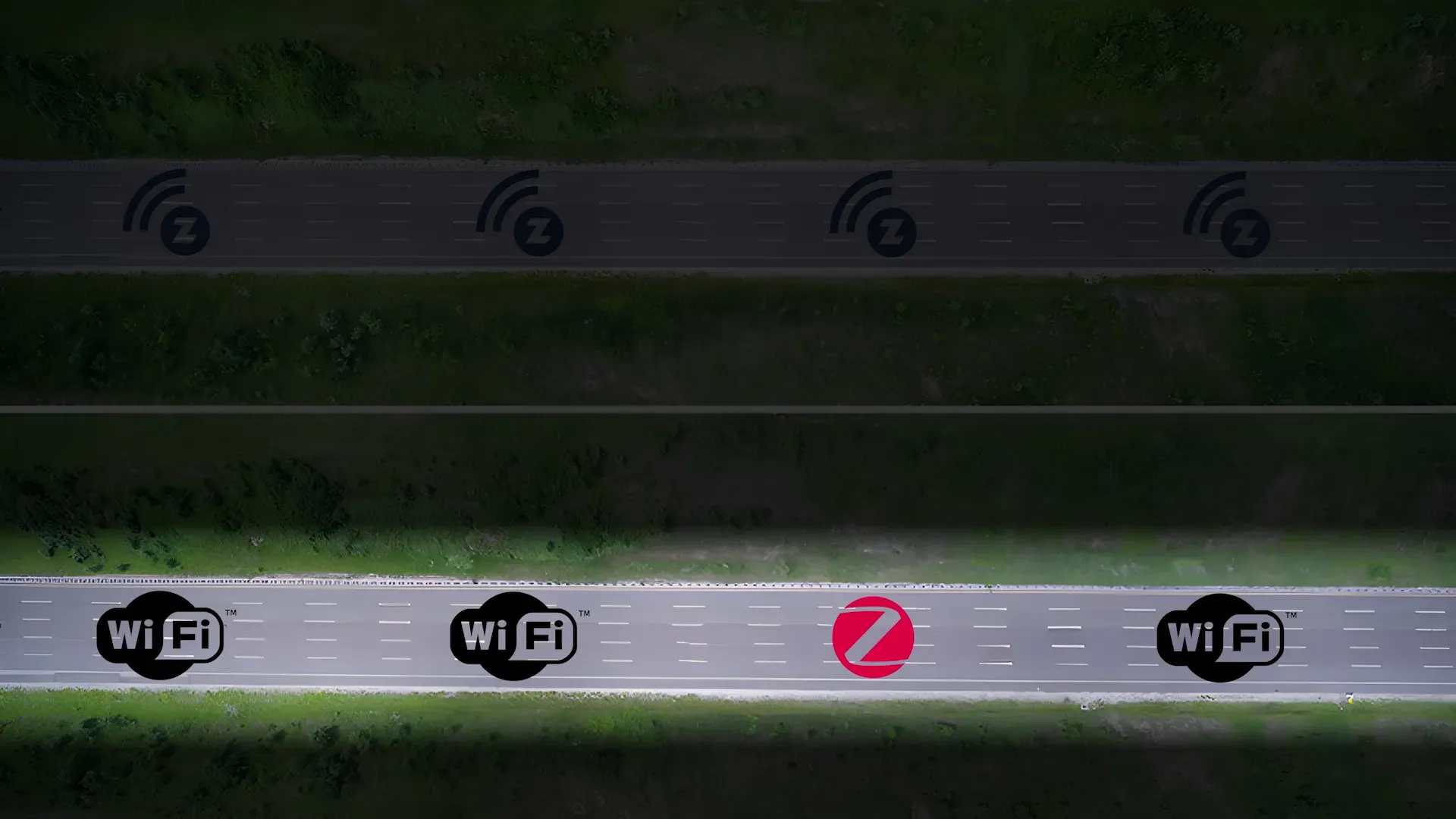
Z-Wave takes a different, almost private, route on dedicated frequencies depending on the region (868 MHz in Europe). This exclusivity offers several major advantages: less interference with your other devices, better penetration through walls and obstacles, and optimized energy consumption for battery-powered devices.
Contrasting Philosophies: Openness vs. Certification
So, why does Zigbee remain so popular in our connected homes? The answer lies in two words: openness and price. Zigbee is an open protocol that allows any manufacturer to create compatible products without paying licensing fees. This freedom translates into a plethora of offerings and highly competitive prices, but also sometimes inconsistent quality depending on the manufacturer.
Z-Wave follows an opposing philosophy. Every product must obtain official certification before being released to market. This proprietary approach guarantees exemplary reliability and perfect compatibility among all certified devices, but it naturally translates into higher prices. It's the choice for quality and peace of mind.
The Long Range Revolution: Rethinking Network Topology
Traditional Mesh Networks No More
Until now, both classic Z-Wave and Zigbee operated on the principle of a mesh network. In this configuration, every mains-powered device can act as a relay, allowing the signal to hop from one device to another to reach its final destination. It's elegant in theory, but it introduces latency and potential points of failure.
Z-Wave Long Range revolutionizes this approach with direct point-to-point connections between the controller and each device. No more intermediate relays needed: your sensor in the barn at the far end of the garden communicates directly with the antenna, even from hundreds of meters away! This architecture theoretically enables thousands of devices to be managed by a single controller, all while maintaining minimal latency and maximum reliability.
Hybrid Flexibility
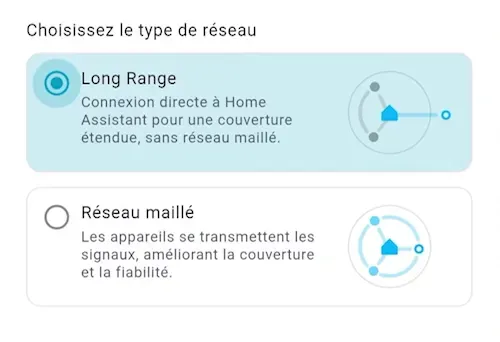
The beauty of the system lies in its flexibility. When adding a new compatible device, the antenna allows you to choose between a traditional mesh network connection or a direct Long Range connection. This granularity enables you to build a hybrid network optimized for your specific needs. In the Z-Wave JS UI interface, devices connected via the traditional method appear with a blue icon, while Long Range devices proudly display their purple icon.
Installation and Configuration: Simplicity is Key
Optimal Physical Installation
The Home Assistant Connect ZWA-2's installation is surprisingly simple, no matter your starting point. For newcomers to the Z-Wave universe, the experience is truly plug-and-play. Plug in the antenna, and Home Assistant instantly recognizes it, automatically installing all necessary components. No complex configuration, no drivers to download: the magic happens in seconds.
Critical Placement Tips:
- Place the base vertically on a flat surface, never sideways
- Choose a central location in your home, elevated if possible
- Keep the antenna at least one meter away from your internet router and other radio transmitters
- Avoid metallic obstacles, aquariums, and thick walls where possible
Initial Configuration for Beginners
To configure your first Z-Wave network with the ZWA-2:
- Access the interface: Go to your Home Assistant (usually: http: //homeassistant.local: 8123/)
- Navigation: Settings > Devices & Services
- Auto-detection: The ZWA-2 appears automatically, click "Add"
- Recommended installation: Select "Recommended installation"
- Long Range Activation: In Z-Wave JS > Configuration, change the frequency to "Europe (Long Range)"
- Restart: Restart Z-Wave JS to activate new features
Migration from an Existing Controller
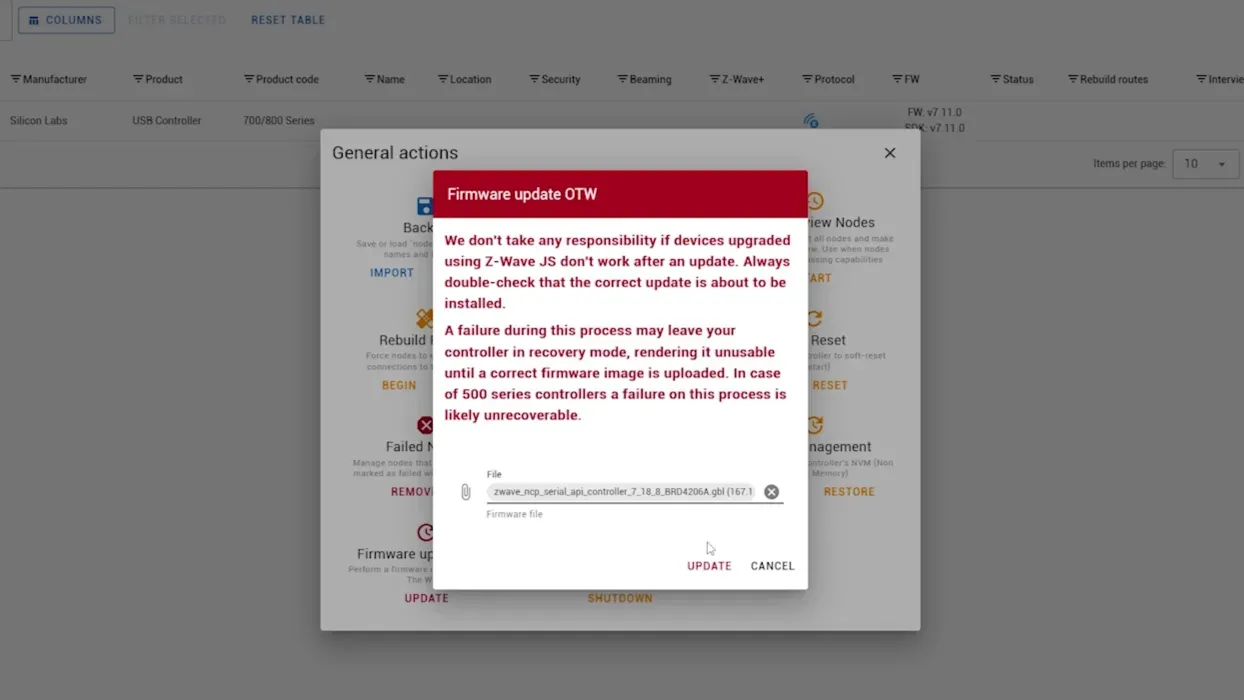
For users already running a Z-Wave controller, migration requires a few precautions but remains remarkably smooth. The crucial point is updating your old controller's firmware. Series 500, 600, and 700 must be up to date (minimum SDK 6.61 for Series 500) before starting the migration, to avoid failure. Some more exotic models, like Nortek, might even be incompatible with the automatic migration process, requiring a complete network rebuild.
Step-by-step migration process:
- Prerequisite check: Check the SDK version of your current controller
- Backup: Via Z-Wave JS UI, create a full backup (NVM Management → Backup)
- Physical replacement: Unplug the old controller, connect the ZWA-2
- Restore: Import your backup (NVM Management > Restore)
- Validation: Verify that all your devices are functional
This simplicity stands in pleasant contrast to Zigbee migrations, which often mean long evenings of reconfiguration.
Using Z-Wave Long Range: Unleash the Potential
Long Range Device Inclusion
To fully leverage Long Range capabilities, you'll need compatible Z-Wave 800 devices. The Shelly Wave and Zooz 800 series (after firmware update) offer excellent examples of this new generation.
QR Code Inclusion Process:
- Mobile App: Use the Home Assistant app on your smartphone
- QR Scan: Settings > Devices & Services > Add Z-Wave device
- Network Selection: Select "Long Range" during inclusion
- Product Activation: Follow the manufacturer's inclusion procedure
- Validation: Long Range devices receive IDs 256+ (vs 2-232 for standard Z-Wave)
Identifying Long Range Devices
In the Z-Wave JS UI interface, the distinction is clear:
- Blue Icons: Standard Z-Wave devices (mesh network)
- Purple Icons: Z-Wave Long Range devices (direct connection)
If you're using Z-Wave JS:
- Numeric IDs: 2-232 for standard, 256+ for Long Range
Performance Tests: Exceeding Expectations
Results in Urban Conditions
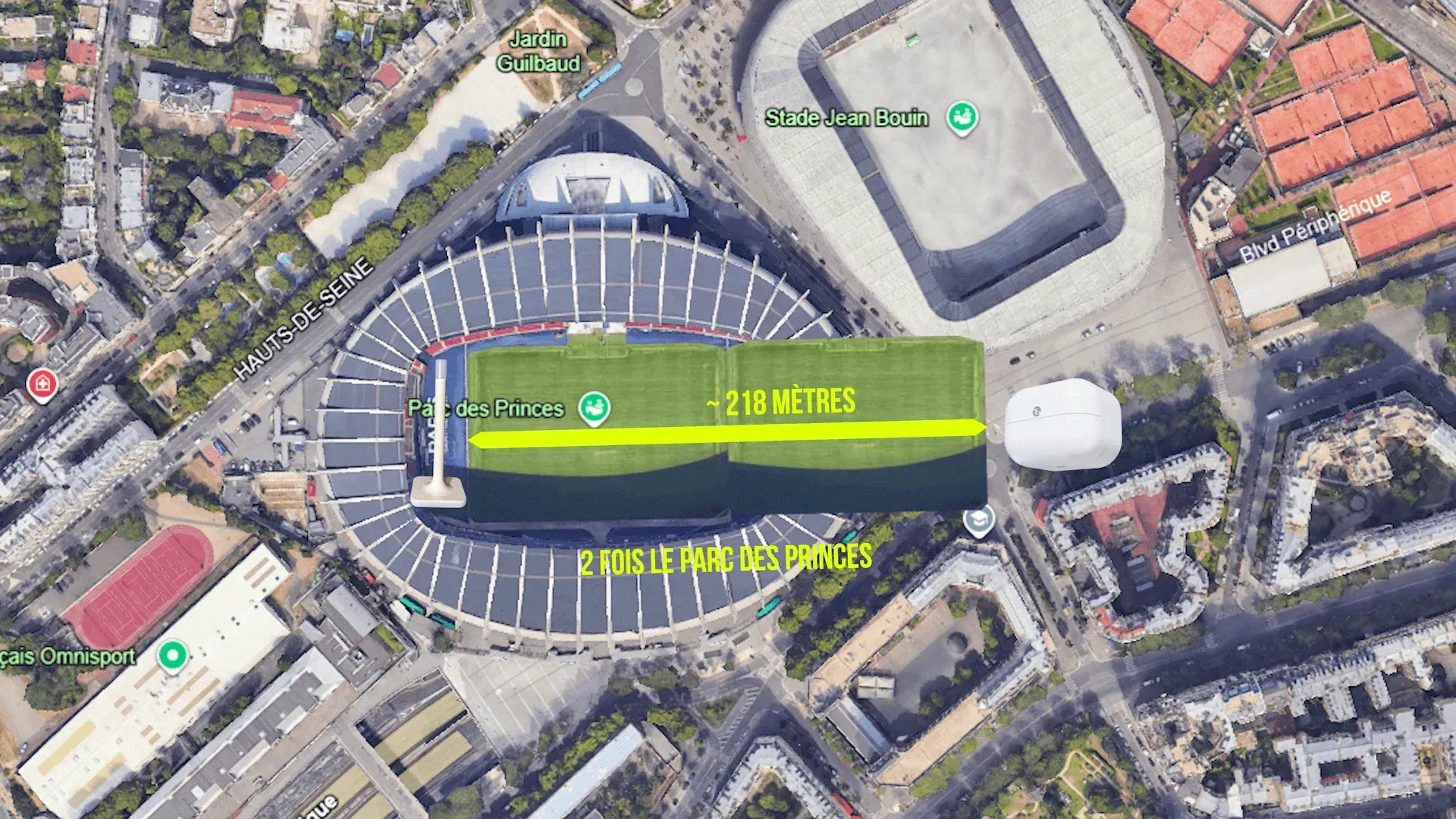
Real-world testing reveals the true potential of this technology. With a classic Z-Wave controller, my maximum range barely reached between 25 and 30 meters. With the Connect ZWA-2 in Long Range mode, I maintained a stable connection up to 218 meters, even under particularly unfavorable conditions.
It's important to understand that these 218 meters weren't a clear line of sight in an open field. The path traversed a dense residential neighborhood, with a reinforced concrete building right in the middle of the route. The numerous trees along the way added to the signal attenuation. In these hostile urban conditions, maintaining a connection over such a distance is nothing short of a technical feat.
Vertical Penetration Tests
Vertical tests proved equally impressive. The signal effortlessly penetrates multiple reinforced concrete slabs, allowing for seamless communication between the ground floor and the fourth floor of a building. This vertical penetration capability opens up exciting possibilities for multi-story homes or buildings with basements and attics.
The Art of Placement: Maximizing Performance
Avoiding Desensitization
One crucial point deserves your absolute attention: antenna placement. Its exceptional power can paradoxically become its weakness if you don't adhere to a few fundamental rules. The most common pitfall is placing the antenna right next to your internet router or other powerful radio transmitters.
You might think that since Z-Wave and Wi-Fi use different frequencies, coexistence isn't an issue. The physical reality is more complex. The phenomenon of receiver desensitization comes into play. To understand this concept, imagine yourself at a rock concert. Your Z-Wave antenna is your ear trying to pick up a whisper from a friend 200 meters away. Your Wi-Fi router is the massive wall of speakers blasting decibels right next to you. Even if the music (Wi-Fi) and the voice (Z-Wave) are different, the deafening volume saturates your perception, making it impossible to distinguish even the faintest distant whisper.
Optimizing Placement
This analogy perfectly illustrates why you need to maintain at least one meter, and ideally more, between your various radio transmitters. Judicious placement can literally double your effective range. Prioritize a central, elevated location in your home if possible, and keep it away from sources of electromagnetic interference.
Optimization Checklist:
- ✅ Minimum 1m distance from other radio transmitters
- ✅ Central and elevated position in the home
- ✅ Antenna perfectly vertical (use orientation LED as a guide)
- ✅ Avoid metallic obstacles and aquariums
- ✅ Keep away from thick walls when possible
The Verdict: An Accessible Revolution
Technical and Financial Assessment
After numerous tests, the conclusion is clear. The Home Assistant Connect ZWA-2 delivers on its promises and redefines our expectations for smart home range. The raw performance is impressive, with a range and penetration capability that surpasses everything I've tested so far in this price range.
Native integration with Home Assistant is a major asset. We're talking about Nabu Casa's official product here, which guarantees optimal support, regular updates, and long-term scalability. This peace of mind is invaluable when building a smart home setup for the long haul.
Unbeatable Value
The pricing deserves a standing ovation. At just 59 euros, Nabu Casa offers a Long Range antenna for the price of a mid-range standard Z-Wave controller. When you consider that some high-end controllers *without* Long Range easily go for over 80 euros, the equation is simple. You get more range, more power, and the latest Z-Wave 800 technology, all for an investment that makes perfect sense.
Its only "flaw, " if you can even call it that, is its imposing size. But calling that a flaw would be unfair: it's simply the unavoidable physical trade-off for its exceptional performance. Between a discreet antenna that barely covers your home and this powerhouse that reaches your garden shed, the choice is clear.
Who Is This Antenna Really For?
Ideal Use Cases
This antenna is primarily aimed at owners of large homes or old buildings with thick walls who have always struggled with the range of their smart home setup. If you have outbuildings, a detached garage, a garden shed, or a workshop, this is THE solution you've been waiting for.
Residents in radio-saturated environments will also find it invaluable. The robustness of the Long Range signal and the use of dedicated frequencies offer remarkable stability even in dense urban areas where the 2.4 GHz spectrum resembles an electromagnetic battlefield.
Investing in the Home Assistant Ecosystem
Finally, Home Assistant purists who prefer official, long-lasting solutions will appreciate the assurance of a product designed by and for their favorite ecosystem. Investing in Nabu Casa hardware also means supporting the development of Home Assistant, the open-source project that's revolutionizing how we approach smart homes.
Ideal User Profiles:
- Owners of large properties or old buildings
- Users with remote outbuildings (garage, workshop, garden shed)
- Dense urban environments with radio interference
- Fans of the official Home Assistant ecosystem
- Users prioritizing performance over aesthetics
Conclusion: The Future of Smart Homes Has Arrived
The Home Assistant Connect ZWA-2 doesn't just push technical boundaries: it redefines our expectations for home automation. For the first time, the promise of total property coverage becomes a reality, without compromising reliability or ease of use.
This antenna marks a turning point in the evolution of our connected homes. It demonstrates that it's possible to reconcile professional-grade performance with mainstream accessibility, both technically and financially. Z-Wave Long Range is no longer a futuristic technology reserved for commercial installations: it's entering our homes through the front door.
With exceptional value at 59€, perfect compatibility with the Home Assistant ecosystem, and performance that truly transforms the user experience, the ZWA-2 stands out as the essential upgrade for anyone looking to take their smart home to the next level.