
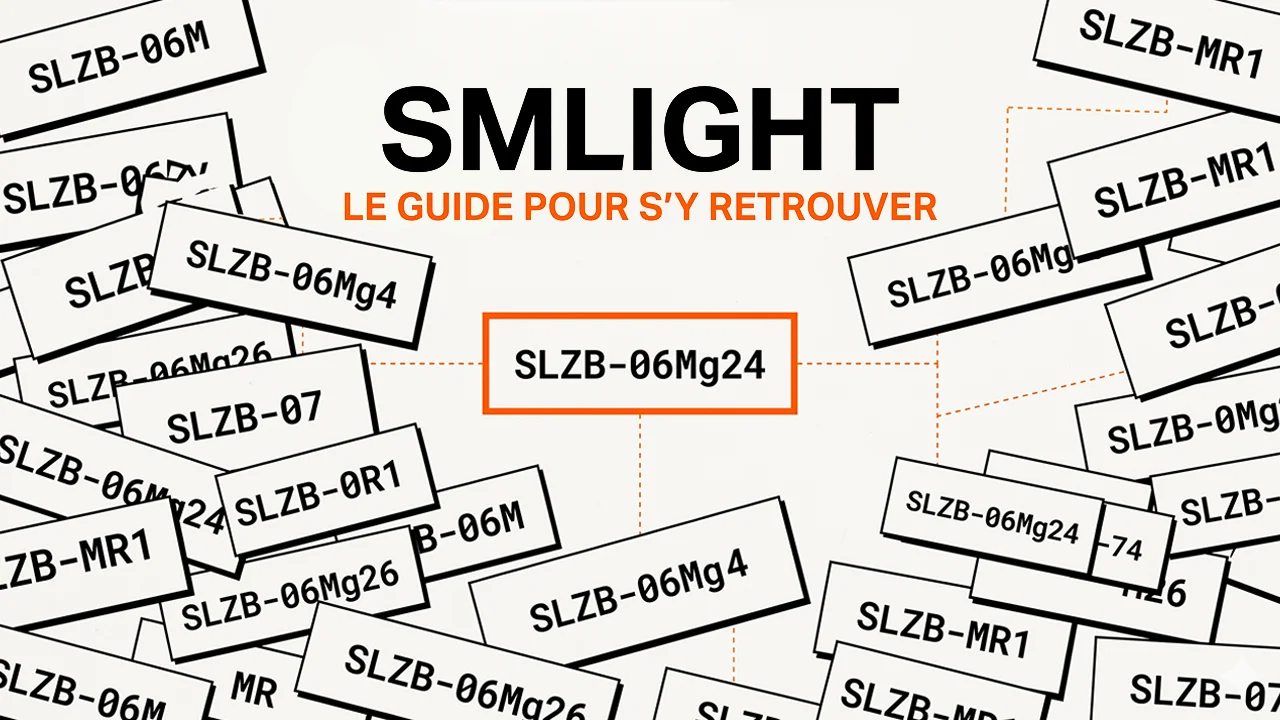
SMLight, excellent products drowned in marketing chaos
SLZB-06, SLZB-06M, SLZB-06MG24U, SLZB-MR2, SLZB-MR5U, SLZB-MRW10U, SLZB-Ultima, SMHUB Nano, SMHUB Premium… Feeling lost? Don't worry, you're not alone. Even when you follow the brand closely, the release pace and long names make the range hard to read.
And it's a shame, because SMLight is now among the most serious references on the market for anyone looking for a stable, remote, Zigbee or Thread coordinator compatible with Home Assistant. These adapters designed by a Ukrainian company went in just a few years from being a nice outsider to being a safe bet for anyone wanting a clean, powerful Zigbee network away from their home automation server.
The problem isn't the product, it's the readability of the offer. Between the SLZB-07, SLZB-06, SLZB-MR ranges, the Ultima and the new SMHUB models, there are now more than twenty references and variants at the time of writing. And each name hides a precise combination of radio chips, connectivity options, and use cases.
In this article, we'll untangle it all together. Understand the overall logic, decipher the names, identify the real differences between chips, then review each range to know exactly which one to buy based on your situation. By the end, you'll have the right reference in mind, no more than that.
Two families, one brand: understanding SMLight's logic
Before talking about specific models, you need to grasp the overall division of the offering. SMLight actually has two major product categories that have very different roles in your setup.
The SLZB family: network coordinators
Devices with the SLZB prefix are primarily coordinators or radio adapters. Their role is to bridge your Zigbee, Thread, or sometimes Z-Wave devices, depending on the model, with your home automation system. They connect via USB, Ethernet, PoE, or Wi-Fi, but they don't replace the complete brain of your home.
The brain is typically Home Assistant, Jeedom, OpenHAB, HomeSeer, or another system that controls the installation. The SLZB is an intelligent remote antenna, with a local interface and advanced functions, but it's not a complete home automation server in the Home Assistant sense of the term.
The SMHUB family: autonomous Linux hubs
The SMHUB devices are more ambitious. They're small Linux hubs capable of directly running home automation services like Zigbee2MQTT, Matterbridge, Node-RED, an MQTT broker, WireGuard, Tailscale, or even Z-Wave JS depending on the model and configuration.
In other words, an SMHUB can function as a mini specialized server. For example, it can host Zigbee2MQTT and Matterbridge to expose Zigbee devices to Google Home or Apple Home without adding a dedicated Raspberry Pi. This is very promising, but let's be honest: in April 2026, it's still a young product family, closer to a specialized Linux hub than a complete, mature replacement for Home Assistant.
If we oversimplify: an SLZB complements an existing server, an SMHUB can directly host part of your home automation services.
"U" versions: a detail that changes a lot
You'll often see the letter U at the end of names on recent references: SLZB-06U, SLZB-06MG24U, SLZB-MR5U, etc. It's not just marketing whimsy. U versions are newer hardware revisions, with notably an ESP32-S3, more memory, an updated Ethernet controller, and especially one very interesting feature: USB host / USB passthrough.
Concretely, this allows you to connect another USB dongle to the SMLight coordinator, for example a Z-Wave controller, then expose it to your server over the network. It's extremely handy for centralizing all your radios in a single strategic location in your home, without running multiple USB cables to the server.
Be careful though: compatibility depends on the USB chipset used by the dongle. SMLight indicates support for common chipsets like CP210x, PL2303, CH340, CH341, or CH9102, but you shouldn't assume that just any exotic USB device will work.
In most cases, if you're buying an SLZB-06 or SLZB-MR reference today, go for the U version.
The real topic: radio chips
This is where much of the choice comes down to. Many SMLight models look similar on the outside, but the radio chip inside defines the coordinator's real capabilities: Zigbee compatibility, Thread support, memory margin, software stability, and theoretical network capacity.
Two manufacturers come up mainly: Texas Instruments, with chips prefixed CC, and Silicon Labs, with EFR32 chips. Historically, Texas Instruments has been a very safe bet in the Zigbee2MQTT ecosystem. Silicon Labs is also very solid today, especially in the Home Assistant, ZHA, Thread, and Matter-over-Thread ecosystem.
| Chip | Manufacturer | Recommended use |
|---|---|---|
| CC2652P | Texas Instruments | Pure Zigbee - reliable |
| CC2652P7 | Texas Instruments | More headroom, limited benefit |
| CC2674P10 | Texas Instruments | TI high-end - large networks |
| EFR32MG21 | Silicon Labs | Zigbee + Thread - proven |
| EFR32MG24 | Silicon Labs | Best current compromise |
| EFR32MG26 | Silicon Labs | Latest generation |
💡 Key takeaway: for virtually all households, a CC2652P or EFR32MG24 more than covers your needs. Higher-end chips like CC2652P7, CC2674P10, or EFR32MG26 mainly add memory headroom, higher theoretical capacity, or a newer platform. As long as you don't have a very large network, the difference will rarely be noticeable day-to-day.
Silicon Labs or Texas Instruments, which should you favor?
My preference today goes to Silicon Labs EFR32 chips, and more specifically to the EFR32MG24. Why? Three concrete reasons: very good alignment with the Matter/Thread ecosystem, modern architecture, and good headroom for future software updates.
Be careful not to overinterpret though. Buying an MG24 chip doesn't mean all future aspects of Zigbee 4.0 will magically be available by firmware. Zigbee 4.0 introduces notably changes around Suzi and Sub-GHz, which may depend on radio hardware. On the other hand, for modern 2.4 GHz Zigbee and Thread/Matter-over-Thread, the MG24 is today a very coherent choice.
Texas Instruments chips remain excellent for pure Zigbee, especially if you use Zigbee2MQTT, if you already have an installed base on this chipset, or if you want to stick with a very well-documented safe bet.
The SLZB-07 range: the minimalist USB dongle
It's SMLight's USB entry-level. A small pre-flashed dongle with a 3 dB external antenna that plugs directly into your Home Assistant server like any other Zigbee stick. No Ethernet, no Wi-Fi, no ESP32, no web interface. Just a simple, straightforward approach.
The range comes in four models that mainly differ by their radio chip:
| Model | Chip | My verdict |
|---|---|---|
| SLZB-07 | EFR32MG21 | Good budget choice |
| SLZB-07P7 | CC2652P7 | Limited practical interest |
| SLZB-07P10 | CC2674P10 | Overkill for most |
| SLZB-07MG24 | EFR32MG24 | ✓ My choice |
The SLZB-07MG24 is my personal recommendation in this range. Around €20, it offers a modern chip, Zigbee and Thread compatible depending on the firmware used, and enough headroom for a standard residential installation. It's the ideal candidate for a first Home Assistant setup or to replace an old CC2531 dongle at end of life.
The limitation of this range is that it forces you to place your server where you want good radio coverage. In an apartment, that often works fine. In a multi-story house with an off-site garage or a network rack placed in an unfavorable technical corner, you'll quickly prefer an Ethernet/PoE coordinator.
The SLZB-06 range: the PoE workhorse
This is the range that made SMLight famous, and it explains much of the brand's success. The SLZB-06 and its variants follow the Zigbee/Thread coordinator logic, but add three essential things: an RJ45 Ethernet port, 802.3af PoE power, and an ESP32 hosting a web management interface.
Why it's a game-changer
Concretely, you can place your SLZB-06 where the radio is useful, not where your server is! Middle of house, ceiling, garage, outbuilding, secondary technical room: a simple Ethernet cable is enough if you have PoE. Your Home Assistant server stays in its rack or closet, and the Zigbee coordinator is placed in the best possible location.
As a bonus, the embedded web interface lets you manage the device locally, update firmware, switch between modes depending on your needs, and monitor the coordinator's status. It's much cleaner than a USB dongle plugged behind a mini-PC or Raspberry Pi, with an extension cable picking up every possible interference.
The main models in the range
| Model | Chip | Positioning |
|---|---|---|
| SLZB-06U | CC2652P | Solid TI choice |
| SLZB-06MU | EFR32MG21 | Proven Silicon Labs |
| SLZB-06P7U | CC2652P7 | More headroom, barely noticeable |
| SLZB-06P10U | CC2674P10 | For very large networks |
| SLZB-06MG24U | EFR32MG24 | ✓ Best compromise |
| SLZB-06MG26U | EFR32MG26 | Very recent |
My default choice in this range is the SLZB-06MG24U. Around €40, it combines the advantages of the 06 range with a very relevant EFR32MG24 chip today. It can serve as a Zigbee coordinator, Zigbee router, or Thread Border Router depending on firmware and configuration.
Important point: on a single radio chip, it's better to think in terms of Zigbee or Thread, not Zigbee and Thread at the same time. Multiprotocol / Multi-PAN exists, but Home Assistant doesn't recommend it for a new installation, as a dedicated radio per protocol remains more stable and simpler to maintain.
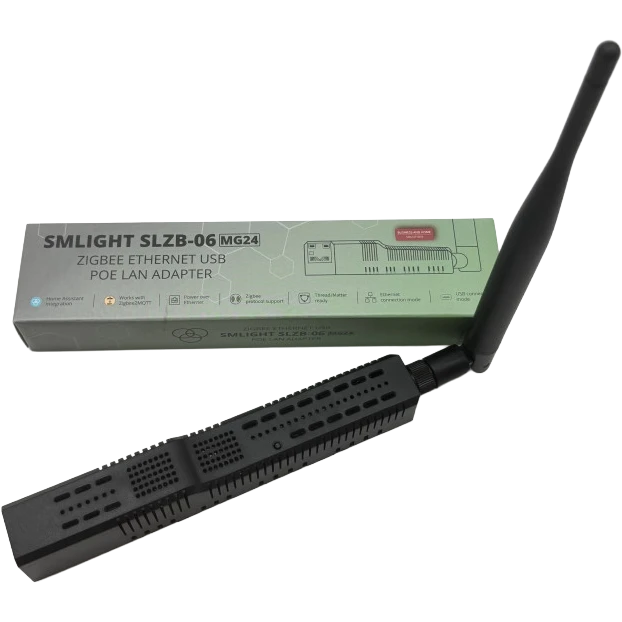
Caution: if you want to use PoE power, make sure your switch or injector properly respects the 802.3af standard at 48 V. Passive PoE injectors at 12 or 24 V are not equivalent to real 802.3af PoE and can cause issues or even damage equipment in some cases.
The SLZB-MR range: Zigbee AND Thread simultaneously
This is where things get serious for those who want to use both Zigbee and Matter-over-Thread. The subtlety that many miss is that running Zigbee and Thread on a single same radio chip isn't ideal. It's technically possible on some Silicon Labs chips via multiprotocol firmware, but Home Assistant recommends separate radios for better stability.
SMLight's answer is the MR range, for Multi-Radio: two physically separate radio chips in the same enclosure. One can handle Zigbee, the other Thread. Each has its own resources, its own antenna, and you avoid the compromises of a single shared radio.
The main models in the MR range
| Model | Embedded chips | Positioning |
|---|---|---|
| SLZB-MR1U | CC2652P7 + EFR32MG21 | MR entry-level |
| SLZB-MR2U | CC2652P + EFR32MG21 | Excellent value for money |
| SLZB-MR3U | CC2674P10 + EFR32MG24 | Mixed high-end |
| SLZB-MR4U | CC2674P10 + EFR32MG26 | Latest generation |
| SLZB-MR5U | EFR32MG24 + EFR32MG24 | ✓ My favorite |
| SLZB-MRW10U | CC2674P10 + EFR32ZG23 | Zigbee/Thread + Z-Wave |
The SLZB-MR5U is one of the most interesting references in the current catalog. Instead of a Texas Instruments + Silicon Labs mix, SMLight uses two EFR32MG24 chips. Result: two modern radios, a coherent platform, and the ability to properly separate Zigbee and Thread.
It's my choice if you're starting out today on an ambitious installation with Zigbee on one side and Matter-over-Thread on the other. In that specific case, the MR5U is more coherent than a simple SLZB-06MG24U, because it avoids putting everything on a single radio.
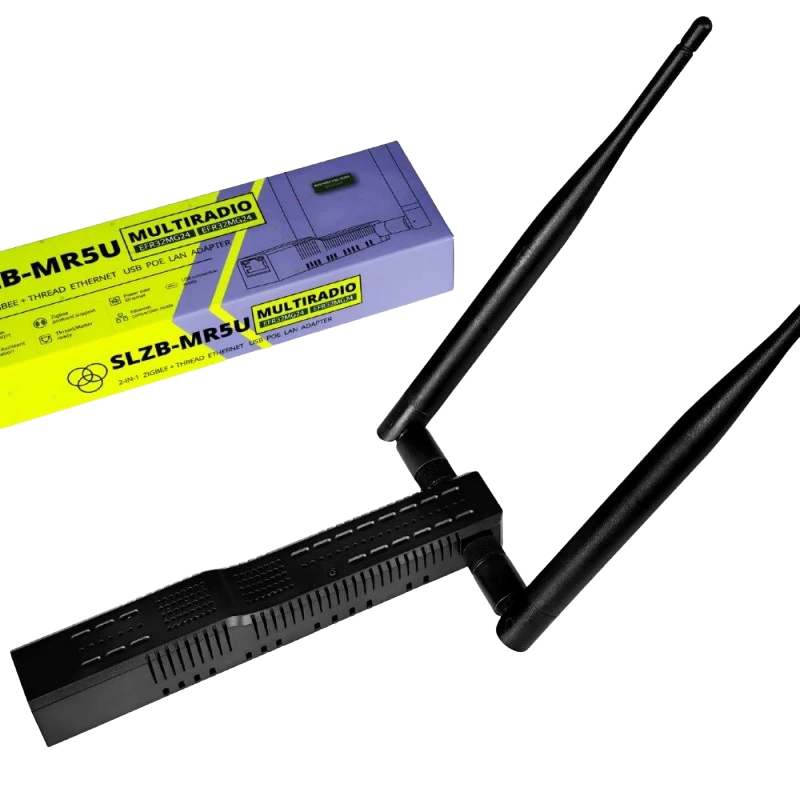
Special case: the SLZB-MRW10U. This one replaces the second Zigbee/Thread radio with a Z-Wave 800 chip, the Silicon Labs EFR32ZG23. In other words, you get in the same enclosure a Zigbee or Thread radio, plus a Z-Wave radio.
This is interesting if your ecosystem mixes Zigbee and Z-Wave, which is still fairly common on certain embedded modules, plugs, locks, or imported equipment. But be careful: this version isn't designed for Zigbee + Thread + Z-Wave in parallel. For that, you'd need to either add an external radio or aim for a more modular architecture.
SLZB-Ultima: the modular platform
The SLZB-Ultima, particularly in its Ultima 3 version visible in April 2026, is SMLight's most modular platform. Technically, it's not just a simple Zigbee coordinator, but a multi-radio, extensible base designed for advanced users, integrators, and experimental installations.
The philosophy differs from the standard MR range: you start with a base, then add modules as needed. Among the extensions highlighted by SMLight, you'll find notably:
- Z-Wave 800 module to add a Z-Wave network via an EFR32ZG23 chip.
- 4G/LTE module for primary or backup connectivity in case of internet failure.
- PoE module to power the device via Ethernet.
- Microphone module for audio use, voice assistant, or sound detection depending on integration.
- USB host to add other compatible radios or devices.
- Infrared to learn and control certain IR equipment like TVs or air conditioners.
The Ultima shouldn't be confused with an SMHUB. It belongs to the SLZB logic: it's an advanced radio platform that works with SLZB-OS or ESPHome depending on use cases, but it's not the same concept as an SMHUB Linux hub that directly hosts services like Zigbee2MQTT or Node-RED.
The important point to correct from what you sometimes read: the base enclosure doesn't cost €150. In April 2026, you'll find the SLZB-Ultima 3 around €55 excluding modules. However, the budget quickly climbs if you add PoE, Z-Wave, 4G/LTE, or other extensions.
So it's the device to aim for if you want an evolving, experimental, and modular base. For a standard residential installation, an SLZB-06MG24U or SLZB-MR5U will often be simpler and more logical.
The SMHUB range: when SMLight becomes a mini-server
We're arriving in the final family, and it's a category change. SMHUB devices aren't just radio coordinators: they're Linux hubs capable of running home automation services directly on the device.
SMLight highlights the ability to host applications locally like Zigbee2MQTT, Matterbridge, Node-RED, Mosquitto MQTT, WireGuard, Tailscale, and other services depending on models and system evolution. The goal is clear: no longer just a remote antenna, but a small box capable of ensuring part of your home automation infrastructure.
Three models for three philosophies
| Model | Radios | For whom |
|---|---|---|
| SMHUB Nano MG24 | 1 EFR32MG24 radio | Small installation / remote deployment |
| SMHUB Essential | CC2652P + EFR32MG21 | Affordable multi-radio |
| SMHUB Premium | CC2674P10 + EFR32MG24 | Beefier version |
The SMHUB Nano MG24 is probably the most interesting for a simple profile: "I want something that works locally without adding a Raspberry Pi or mini-PC just for Zigbee2MQTT". You'll find it around €55-60 in April 2026, making it much more accessible than you might initially imagine.
It can run Zigbee2MQTT, Matterbridge, and useful network services directly on the box. It can also serve as a remote coordinator for Home Assistant, OpenHAB, or HomeSeer. It's very handy for a secondary residence, an annex building, a garage, or a small autonomous installation.
But let me be clear: I wouldn't present it as a complete replacement for Home Assistant. Home Assistant remains far more mature for integrations, advanced automations, dashboards, scenes, backups, and the overall ecosystem. The SMHUB is a specialized Linux hub, not as complete a universal home automation box as a well-configured Home Assistant server.
The Essential and Premium versions follow this philosophy by adding more radios and possibilities. They're interesting for those who want to consolidate multiple services in a single box, but they should still be considered as recent products, intended for users with at least some familiarity with the local ecosystem.
SMHUB or classic Home Assistant, which to choose?
Honestly: if you're already on Home Assistant and your installation is working well, an SMHUB isn't a priority. You'll likely gain more by investing in a good SLZB-06MG24U or MR5U, then keeping Home Assistant as your main brain.
The SMHUB mainly makes sense in three specific cases:
- Remote deployment: you have a secondary residence, a garage, or an annex building with a few Zigbee devices to control remotely. An SMHUB Nano with Tailscale can be very handy.
- Minimalist installation: you want a small local system around Zigbee2MQTT and Matterbridge without installing a complete server.
- Distributed architecture: you want to pull certain services like Zigbee2MQTT or MQTT off your main server to isolate them on dedicated hardware.
Which SMLight range for which profile?
Let's recap now that you have all the information, based on your specific situation:
| Your profile | The right choice | Indicative budget |
|---|---|---|
| I'm new to Zigbee, small apartment | SLZB-07MG24 | ~€20-25 |
| I want remote PoE, Zigbee only | SLZB-06MG24U | ~€40-45 |
| I want Zigbee + Matter/Thread with two radios | SLZB-MR5U | ~€60-70 |
| I want Zigbee or Thread + Z-Wave in a single box | SLZB-MRW10U | ~€70-80 |
| I want a modular and evolving base | SLZB-Ultima 3 + modules | ~€55 excluding modules |
| I want a lightweight autonomous Zigbee hub | SMHUB Nano MG24 | ~€55-60 |
| I want a multi-radio Linux hub | SMHUB Essential or Premium | ~€70+ depending on modules |
💡 Golden rule: for a modern residential installation, I'd favor EFR32MG24 references whenever they exist. It's the best current compromise between performance, software maturity, Thread/Matter-over-Thread, and headroom for years to come. For pure Zigbee with Zigbee2MQTT, Texas Instruments models remain also excellent choices.
Conclusion: a labyrinthine catalog for very good products
Let's not kid ourselves, SMLight has a real problem with range readability. Regularly releasing new models with very similar names, that sometimes only differ by one chip or hardware revision, is disorienting for buyers. But once you understand the logic, everything becomes much simpler.
SLZB designates coordinators or radio platforms. SMHUB designates Linux hubs capable of hosting services locally. U indicates a recent hardware revision with notably USB host / USB passthrough. MR means Multi-Radio, so two separate physical radios to properly manage multiple networks or protocols.
For most readers, I unhesitatingly recommend the SLZB-06MG24U if you want remote PoE Zigbee. It's the simple, clean, and lasting choice for a standard Home Assistant installation.
If you want to embrace Matter-over-Thread alongside Zigbee, I recommend the SLZB-MR5U instead. Its advantage isn't just having a better chip, but especially having two separate EFR32MG24 radios. It's exactly what you need to avoid multiprotocol compromises on a single radio.
The rest of the range isn't useless either: the SLZB-07MG24 remains an excellent low-price entry point, the SLZB-Ultima 3 is the modular option for advanced installations, and SMHUB models open a different path for those who want to deploy or host certain services locally.
But if you're still hesitant, just remember this: SLZB-06MG24U for clean PoE Zigbee, SLZB-MR5U for Zigbee + Thread, SMHUB Nano if you want a small autonomous Linux hub. In 90% of cases, the right answer is there.
Actuellement sur 06M pour zigbee je prendrai bien la Mr5u ....mais doit on reappairer les devices...?
Petite précision avant tout : quel modèle exactement dans la gamme MR tu vises ? Le MR5U que je recommande dans l'article, ou une autre référence (MR1U, MR2U, MR3U, MR4U, MRW10U) ?
La réponse globale ne change pas tellement : tant que tu restes sur une radio Silicon Labs côté Zigbee (ce qui est le cas de toute la gamme 06 et MR), la migration est officiellement supportée par Zigbee2MQTT via backup/restore. Pas besoin de réappairer dans la grande majorité des cas.
Concrètement : backup du coordinateur, arrêt de Z2M, coupure des routeurs Zigbee 15 secondes, branchement du nouveau coordinateur, changement du port dans la config (adaptateur ember conservé), et Z2M récupère seul l'IEEE, le PAN ID et les clés. Compte qu'un ou deux routeurs têtus peuvent demander un reset manuel, mais c'est marginal